
| Sv translation | ||
|---|---|---|
| ||
一、烧录固件说明BM1688 目前提供两种更新方式:TF卡刷机,USB烧录。其中TF卡刷机会重写整个eMMC,也即您存储在eMMC的数据全部会丢失。这种方式最为干净可靠,理论上只要您的 BM1688 没有硬件损坏,都可以进行TF卡刷机。文件替换方式是指在Ubuntu下通过替换对应文件的方式分别升级bootloader、kernel和其它软件。这种方式有一定的风险,如不同软件组件之间的版本匹配、文件损坏等。以下TF卡软件更新方式的操作:
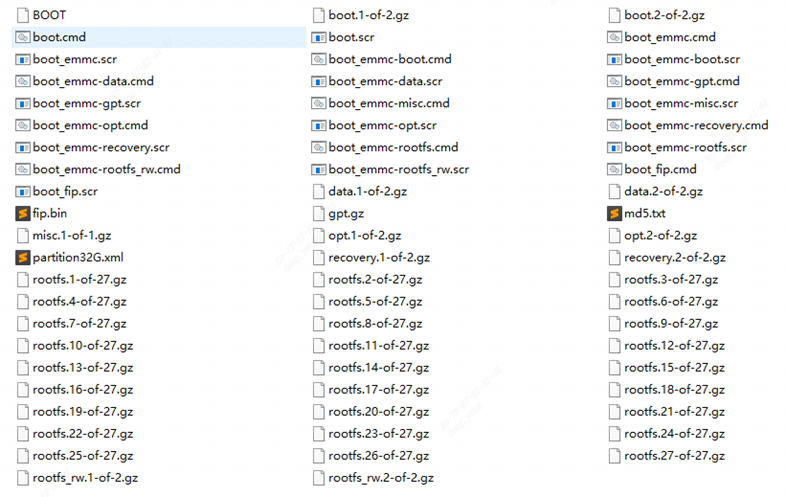
请将TF卡格式化为FAT32格式(如果TF卡上有多个分区,只能使用第一个分区),大小为4GB以上。 请下载 S1A-BM1688 最新刷机包,不同配置的DDR需要切换不同的dts。 固件地址: 8G:https://pan.baidu.com/s/1YqSjeHHOfH81cc8nofeRTw?pwd=52p5 提取码: 52p5 请将下载的固件解压到TF卡根目录,并核对压缩包的MD5值。确认文件如下(数量不一定相同):
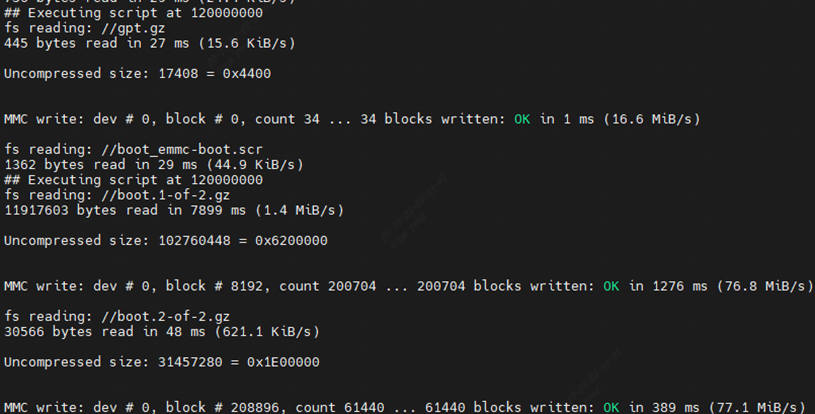
请将 BM1688 断电,插入SD卡,并连接串口终端,然后给 BM1688 上电。您将看到 BM1688 自动进入刷机流程:
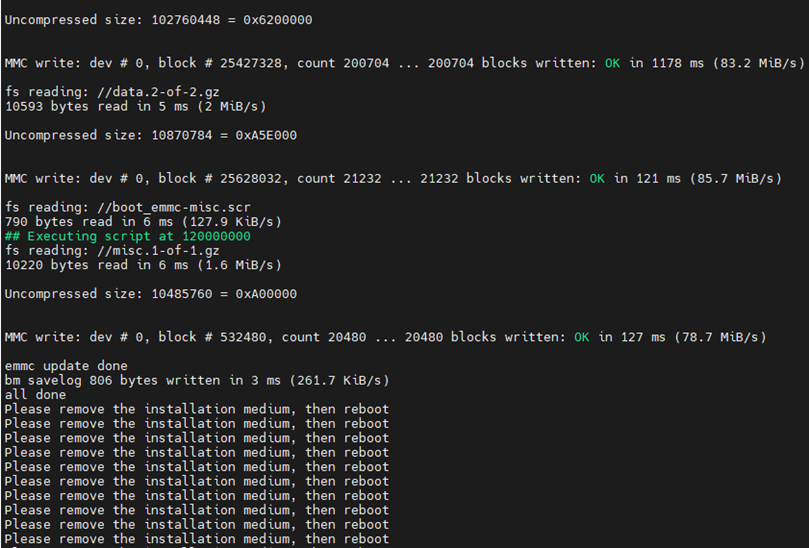
刷机通常耗时约3-10分钟,结束后,“Please remove the installation medium, then reboot”提示,请断电取出TF卡即可:
请注意:刷机后Ubuntu系统第一次启动时会进行文件系统初始化等关键动作,请勿随意断电,待开机进入命令行后使用再断电关机。 |
| Sv translation | ||
|---|---|---|
| ||
1. Firmware Burning Instructions
TF Card Flashing
Firmware Download Link (8GB):
Power off the BM1688, insert the SD card and connect the serial terminal, then power on the device. The BM1688 will automatically enter the flashing process.
The flashing process generally takes 3 to 10 minutes. When the prompt Please remove the installation medium, then reboot appears after completion, power off the device and take out the TF card.
Note: After flashing, the Ubuntu system will initialize the file system and perform other critical operations on its first boot. Do not power off the device arbitrarily. Shut down the system only after entering the command line interface. |