
| Sv translation | ||
|---|---|---|
| ||
一、准备工作
|
...
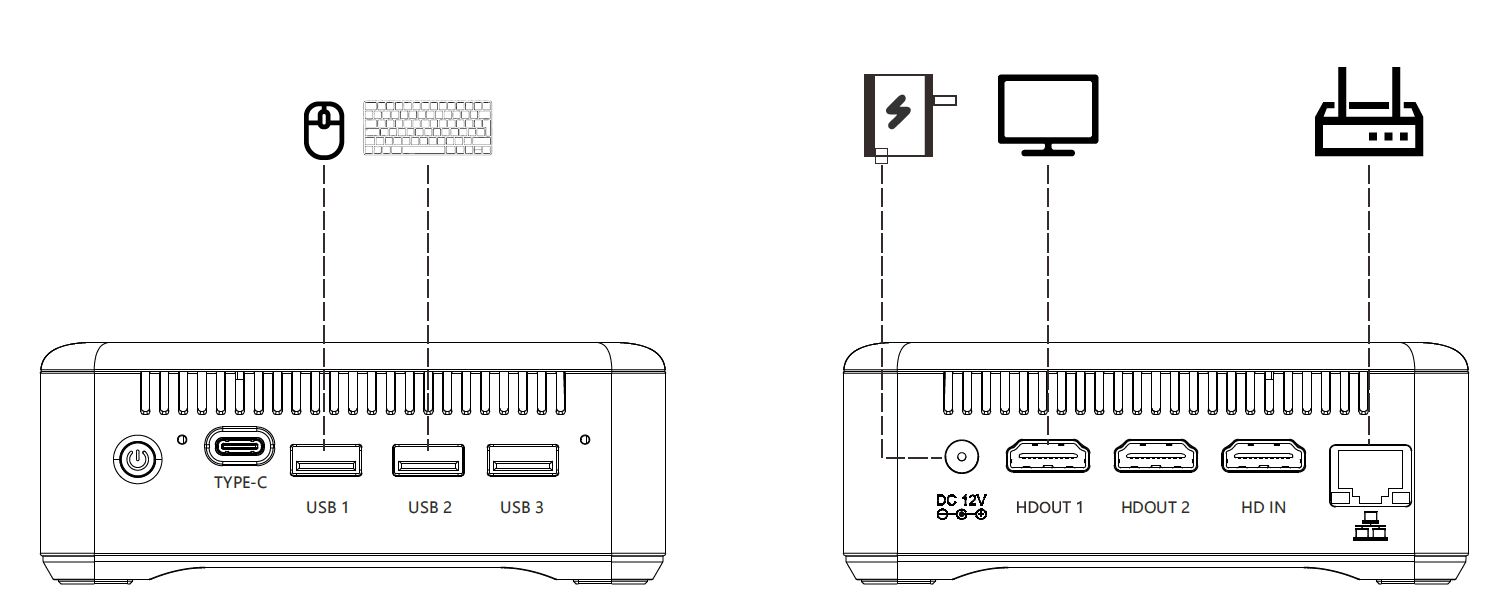
将显示器、键盘、鼠标、网线按下图要求与RUPA Claw 主机接好,接好后接入电源 |
...
|
...
二、登陆桌面 |
...
|

2. 重置root密码:要记好

3.选择系统命令集,可以直接输入1或2
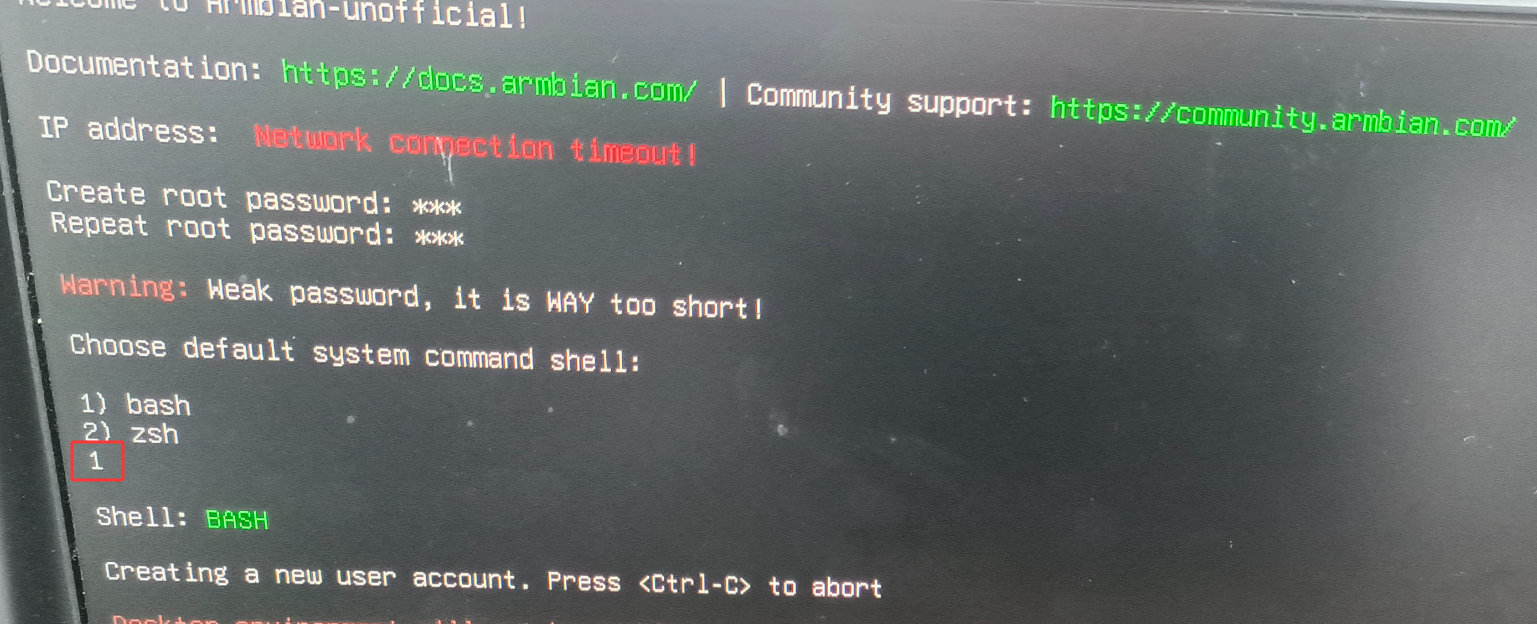
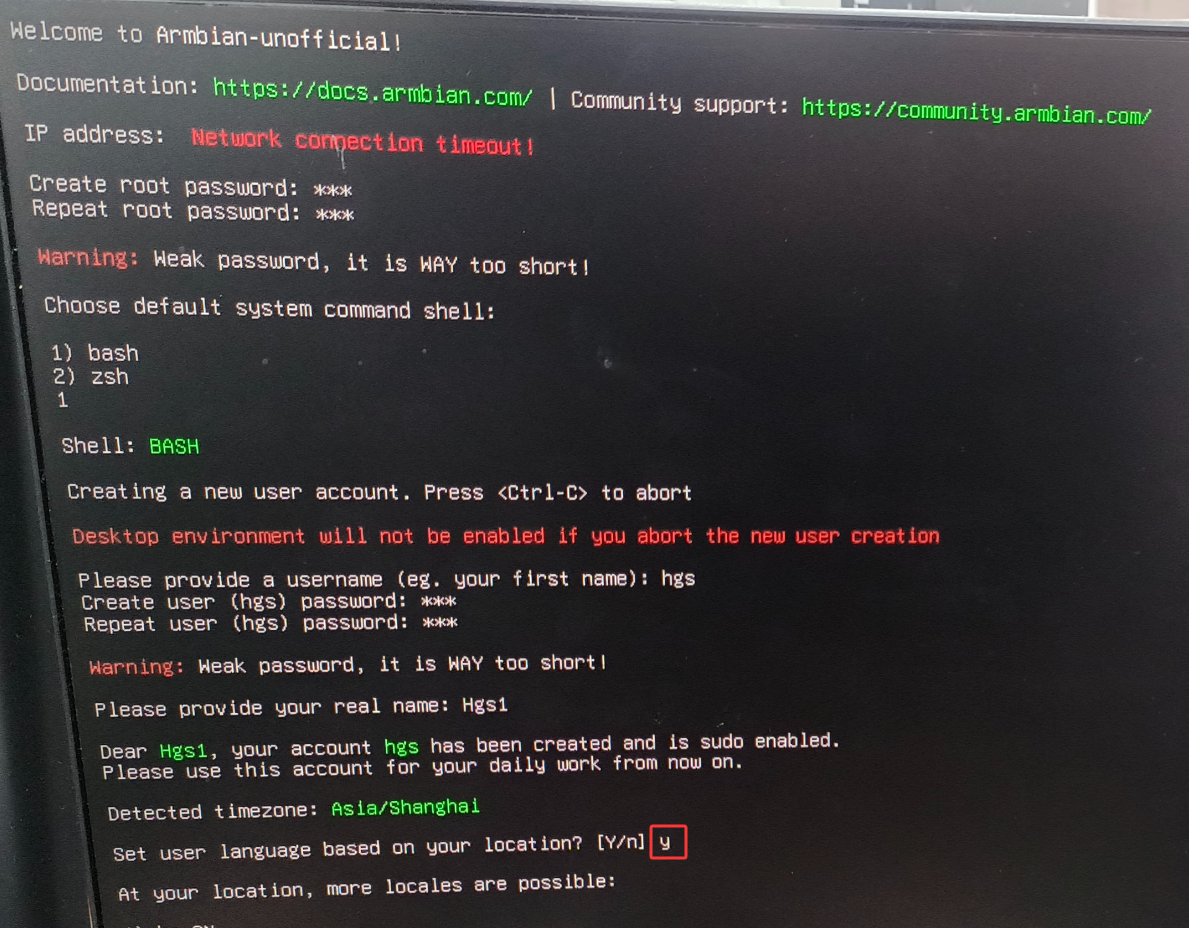
4.创建用户首名和密码

5. 输入真是姓名

6.是否切换语言,选择y或者n
7.选择所在地点(接以太网)
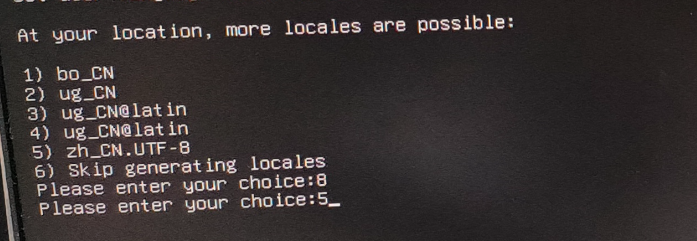
8.如果是WiFi 接入网络,要选择WiFi热点和输入WiFi 密码(列表根据自己的环境不同而不同)

三、安装Openclaw+Kimi K2.5
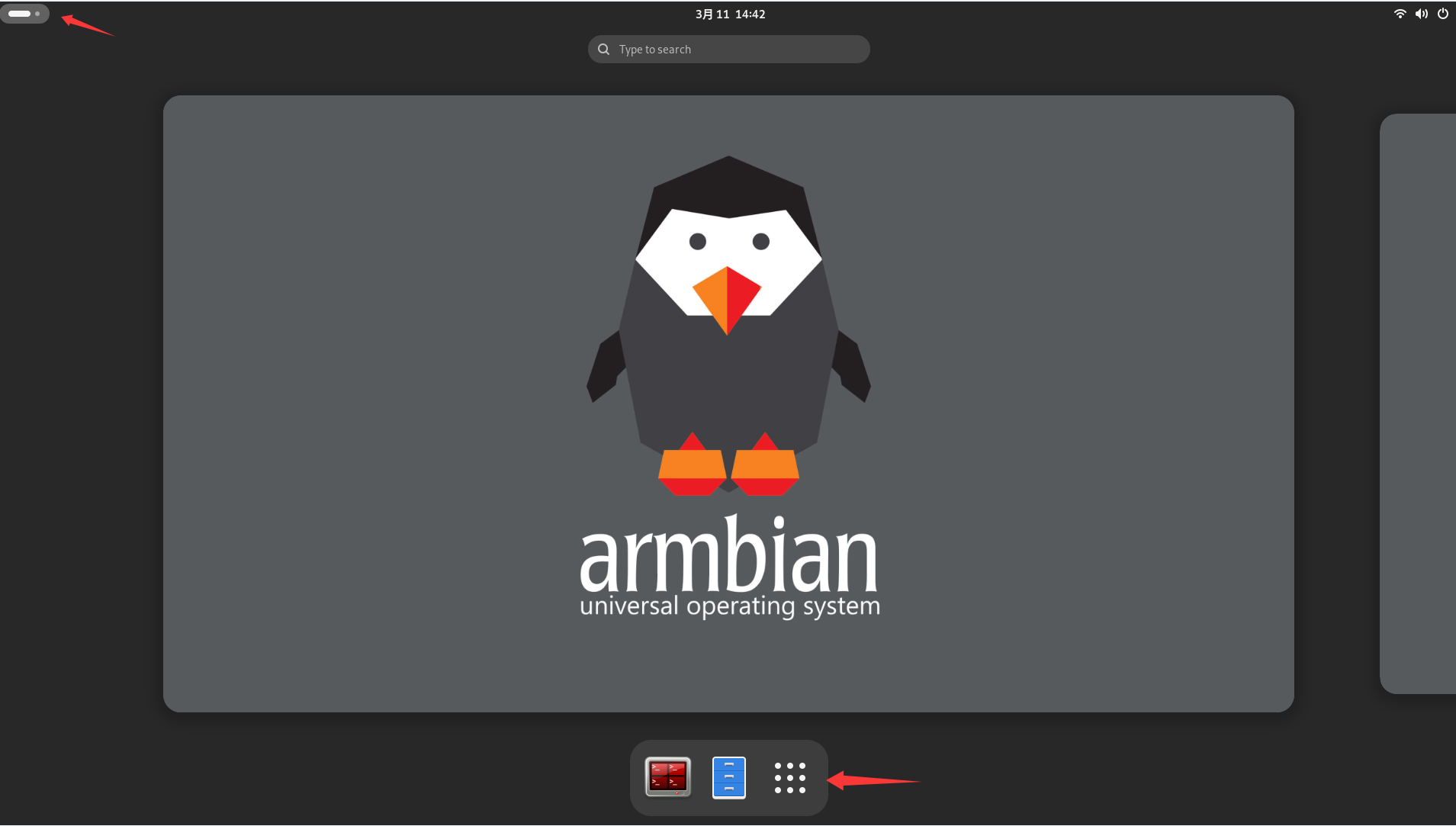
在终端中运行以下命令。如果您已经安装了 OpenClaw,也请执行此命令以升级 OpenClaw。 版本:强烈建议您升级到 2026.2.3 及以上版本。从 2.3 版本起,OpenClaw 已全面支持国内开放平台的 Kimi K2.5 模型选择。 进入桌面
|
...
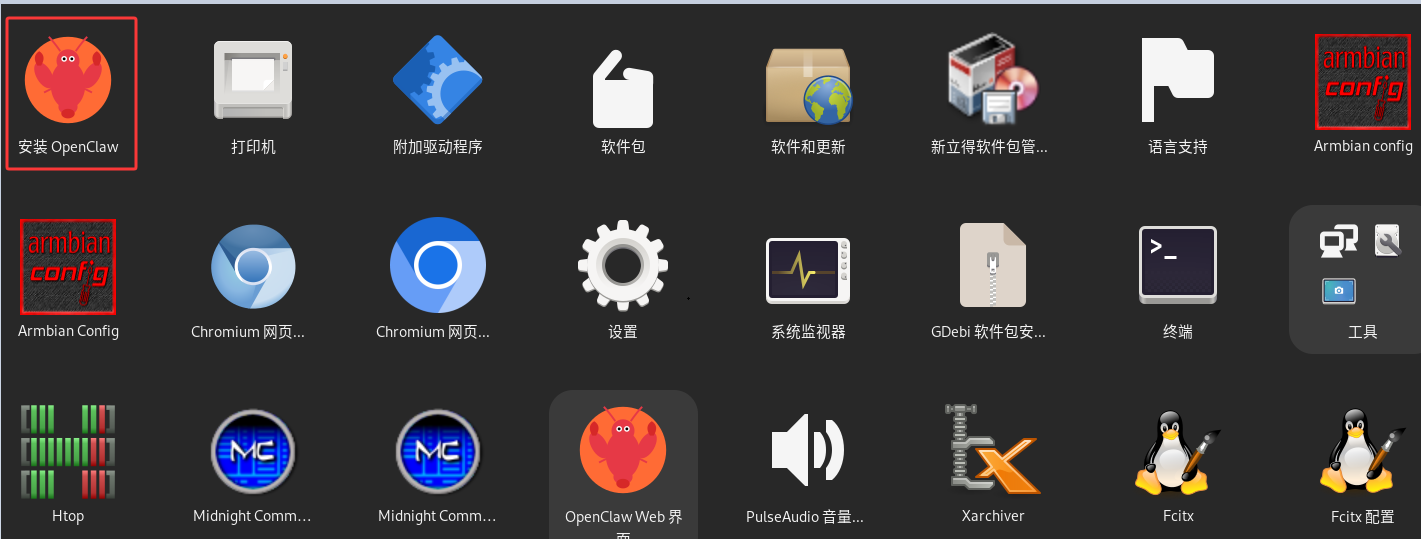
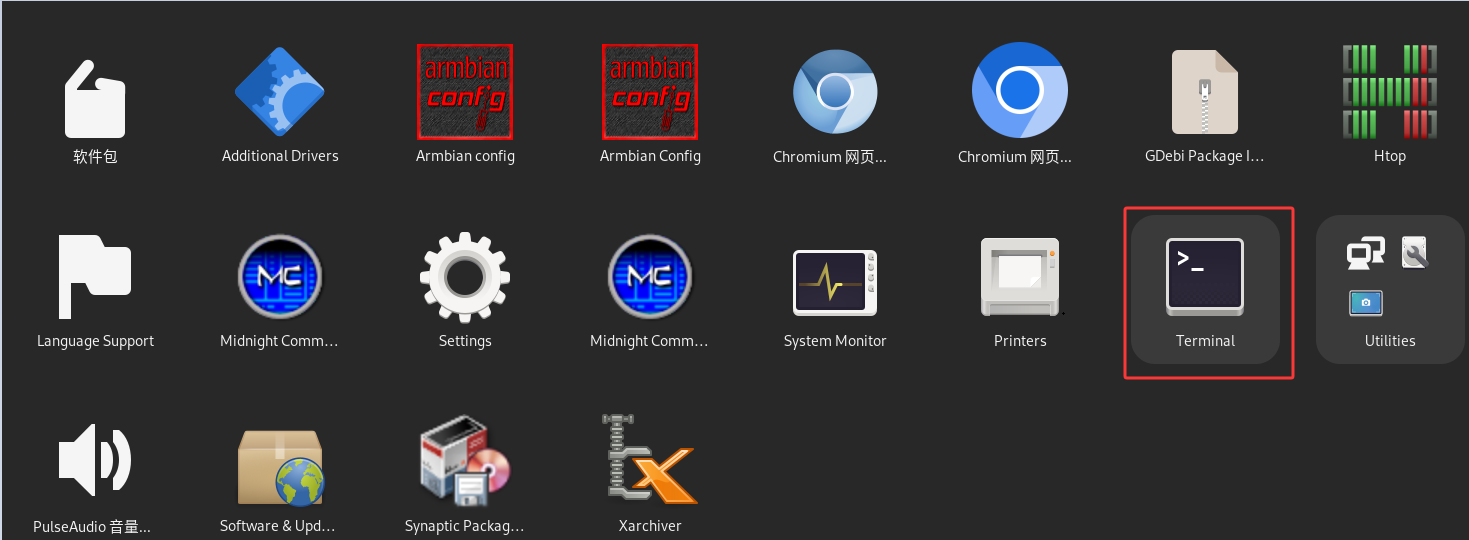
进入应用,一键安装 |

输入:
...
|
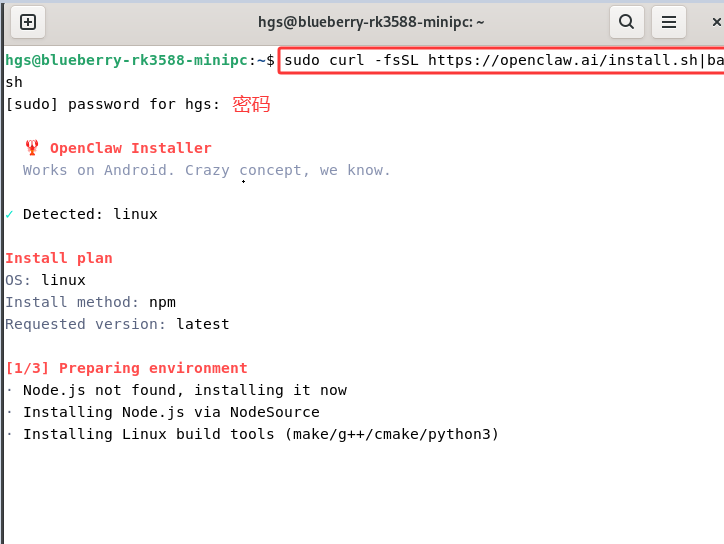
...
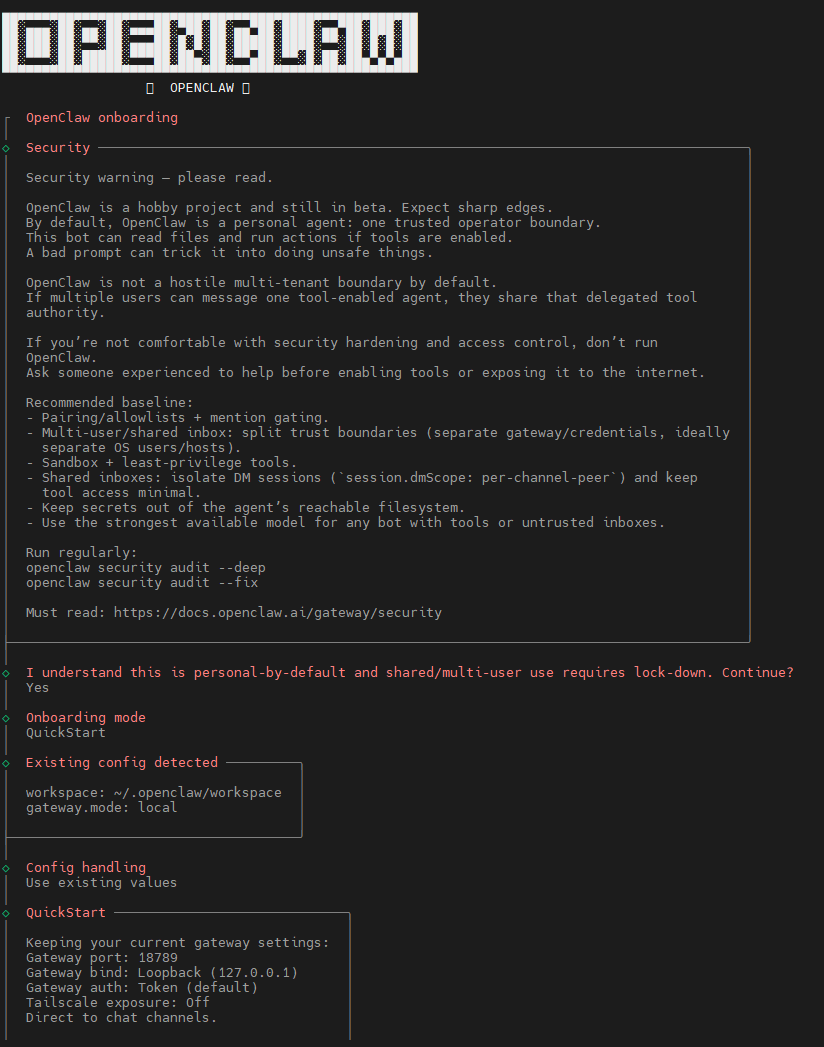
访问 OpenClaw 官方网站了解更多信息:https://openclaw.ai/(opens in a new tab) 如果安装成功,您会看到以下提示:
选择 [yes] 并继续安装:
选择 QuickStart 选项:
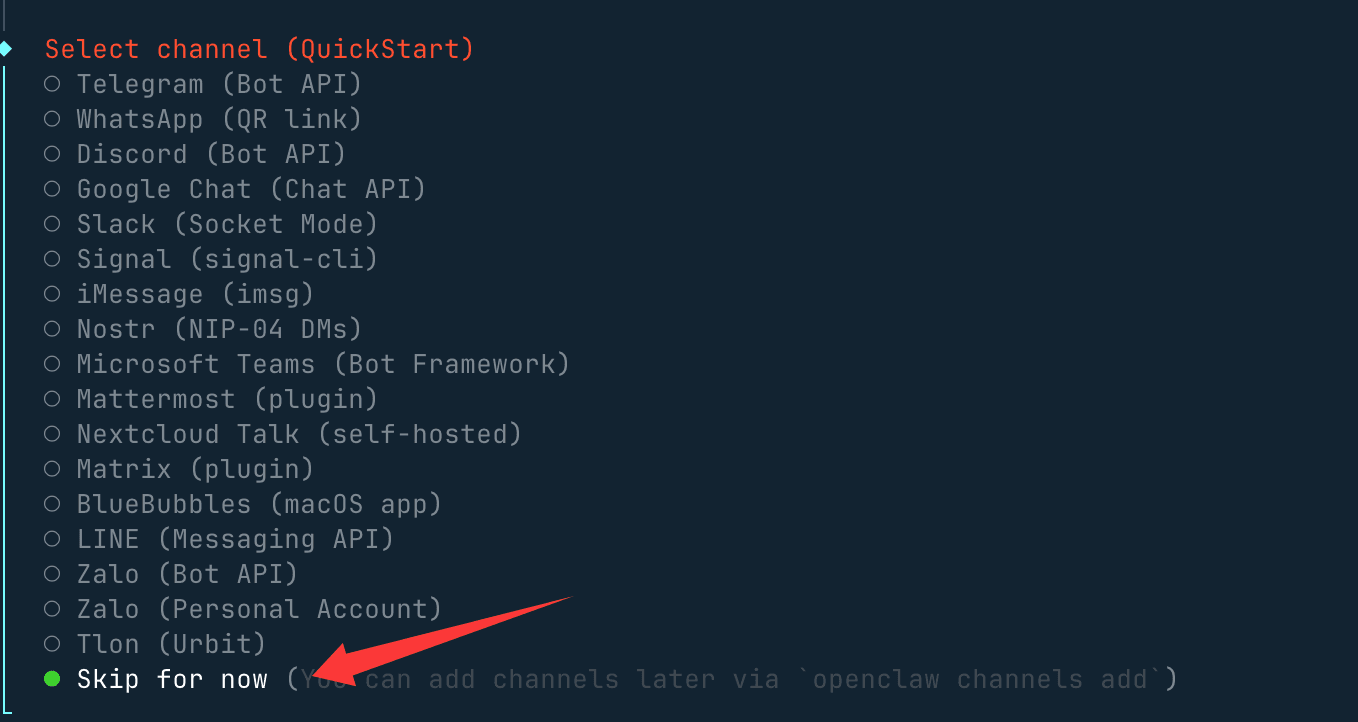
然后您会看到选择聊天工具的选项。您可以先选择 [Skip for now]:
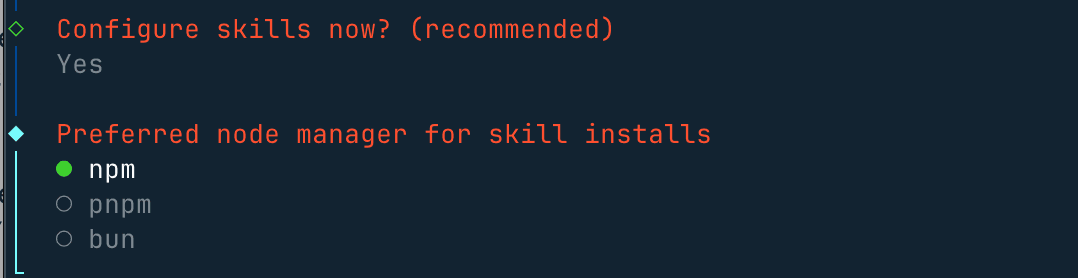
其他配置,如 Gateway Port 设置,可以保持默认值 18789。对于 Skills 和包管理器,选择 npm 或其他选项,其余所有选项都可以选择 Yes。
对于 skills,您可以跳过此步骤,或使用空格键选择您需要的技能。
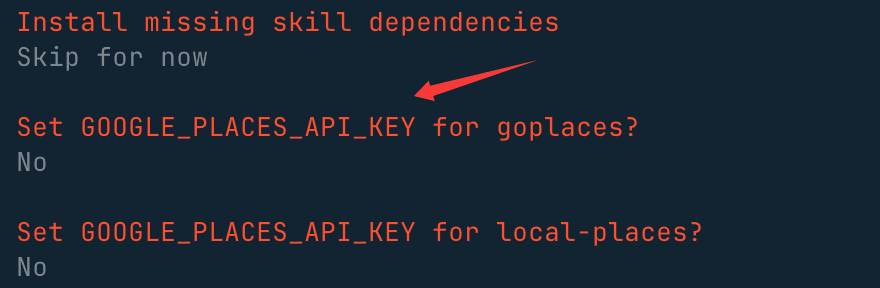
对于其余的 API 密钥,如果您没有则选择 no:
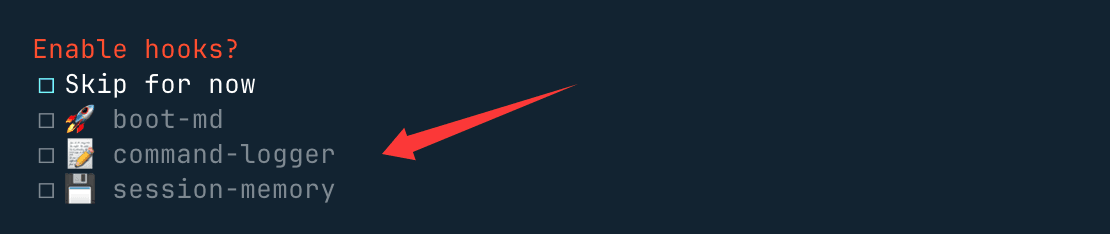
最后三个 hooks 可以启用,以执行内容指导日志和会话记录:
|
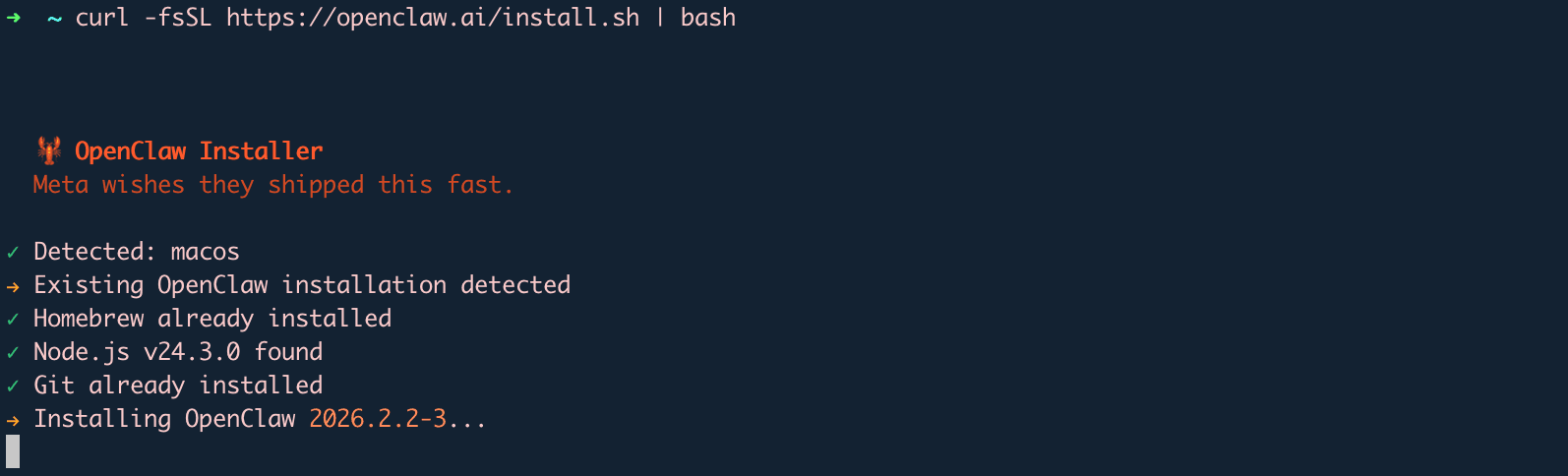
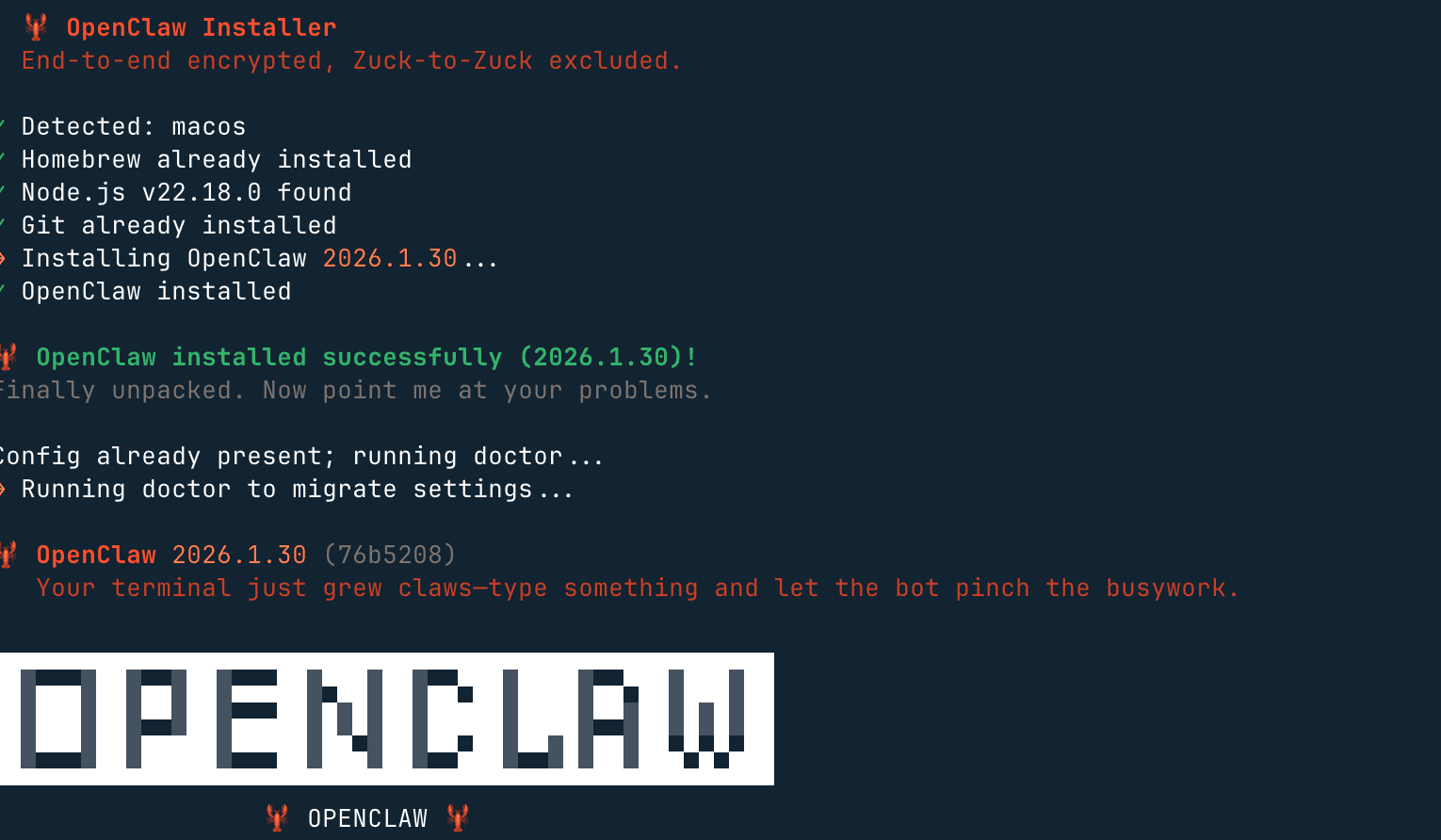

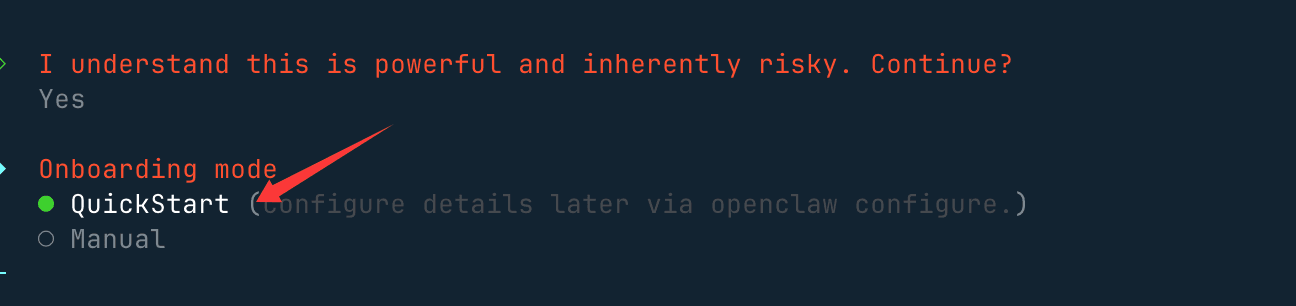




...
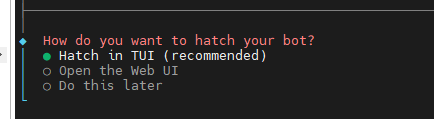
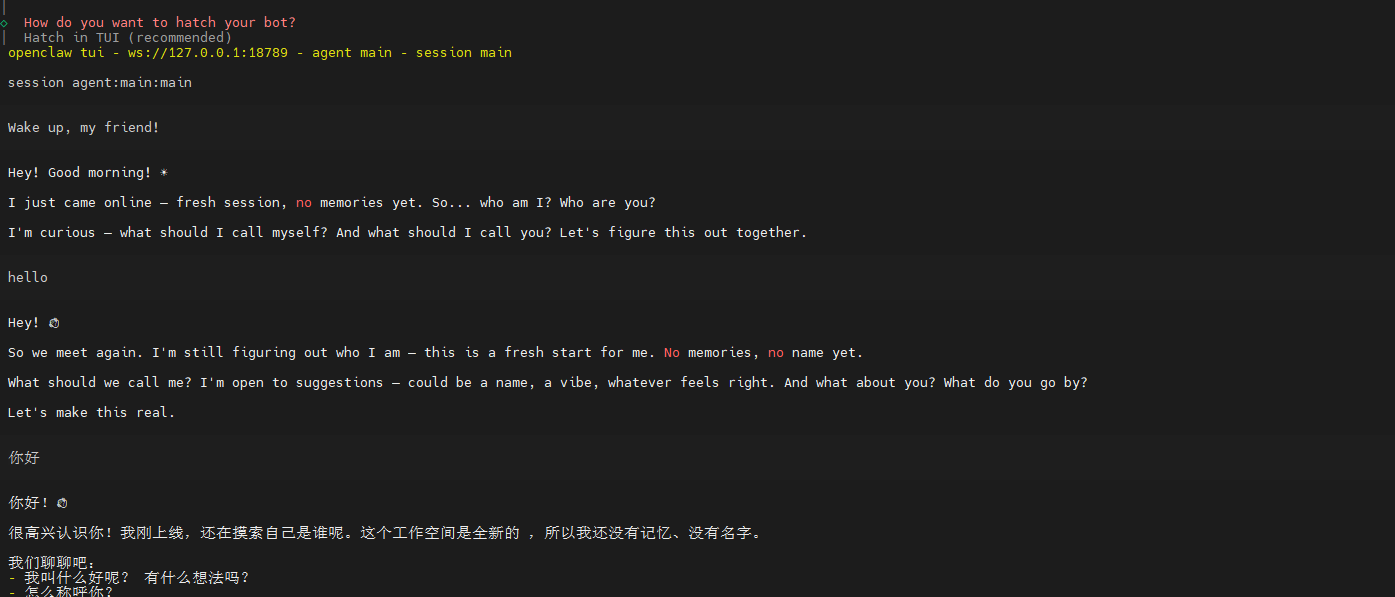
安装完成后,您可以自动访问 http://127.0.0.1:18789(opens in a new tab) 打开聊天界面并开始使用。
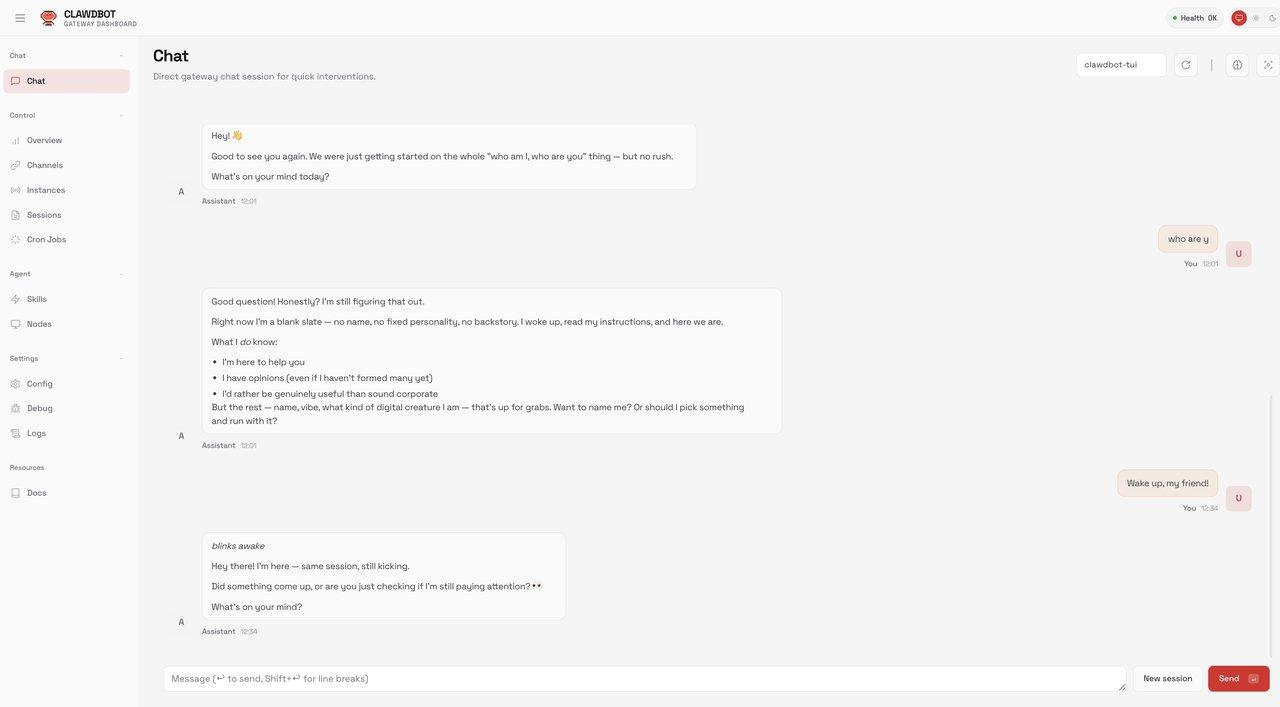
...
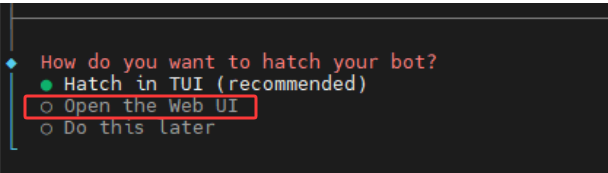
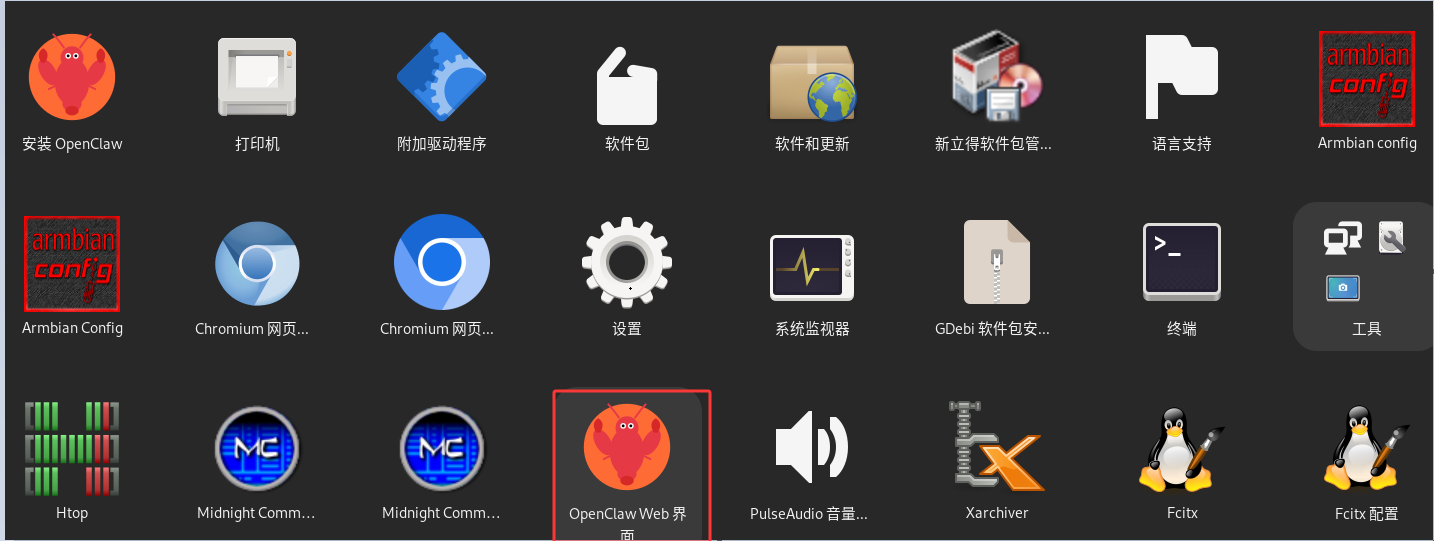
安装完成后,可以退出,回到应用,选择Openclaw Web 界面, 打开应用。
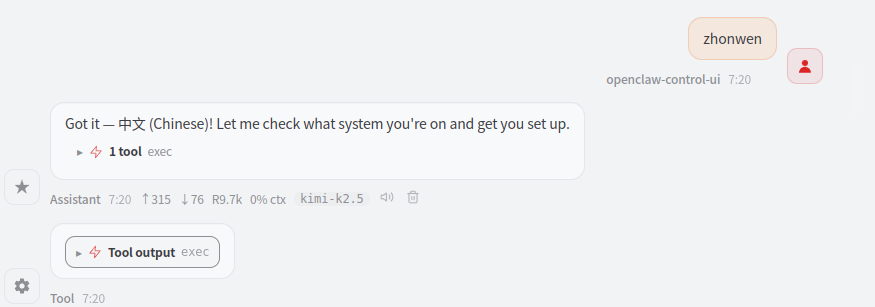
你可以告诉它切换到中文
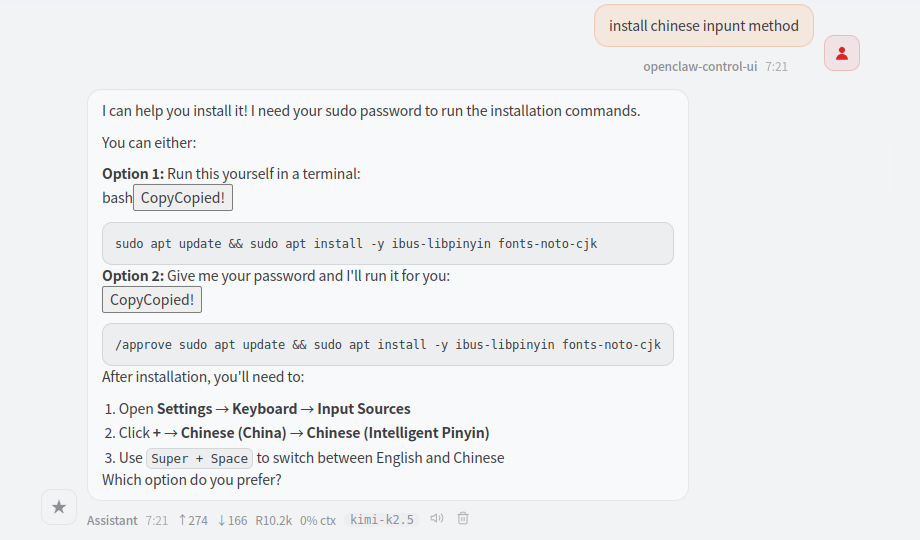
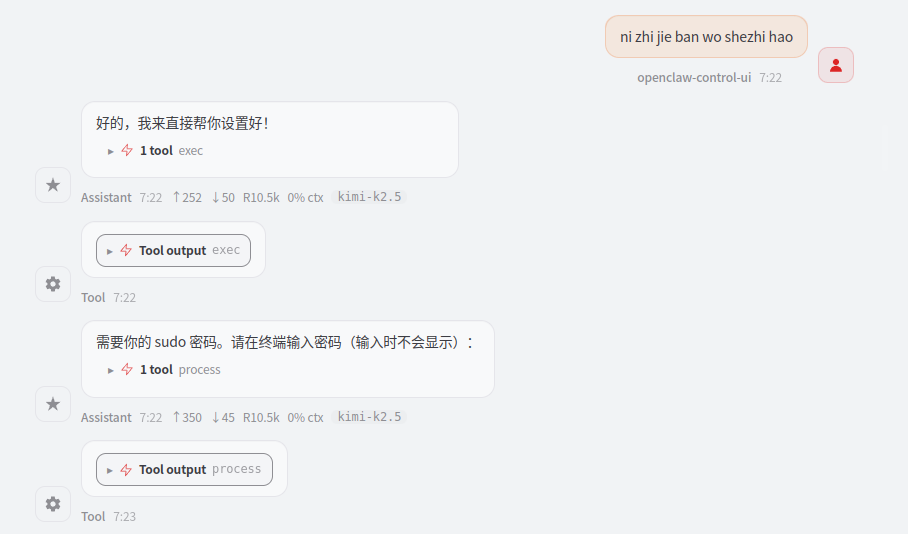
和安装中文输入法
设置完成后 需要断电从启才生效 四、安装异常处理方法如果设置错误时,可以关闭窗口重新安装,安装方法参照第三章
也可以在命令输入界面 重新配置
openclaw setup openclaw onboard
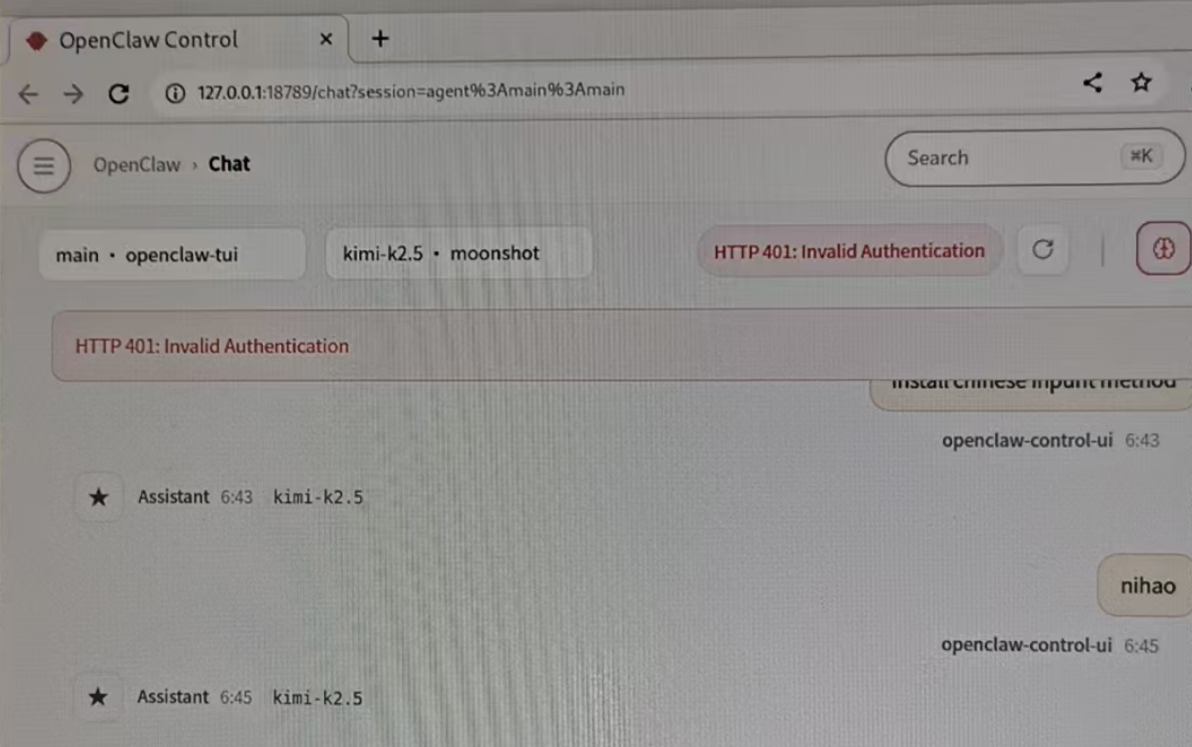
如果出现HTTP401,这就是APi key没输入对,需要重新部署,也可以借助SSH 重新安装或者部署,SSH安装和部署参照第五章
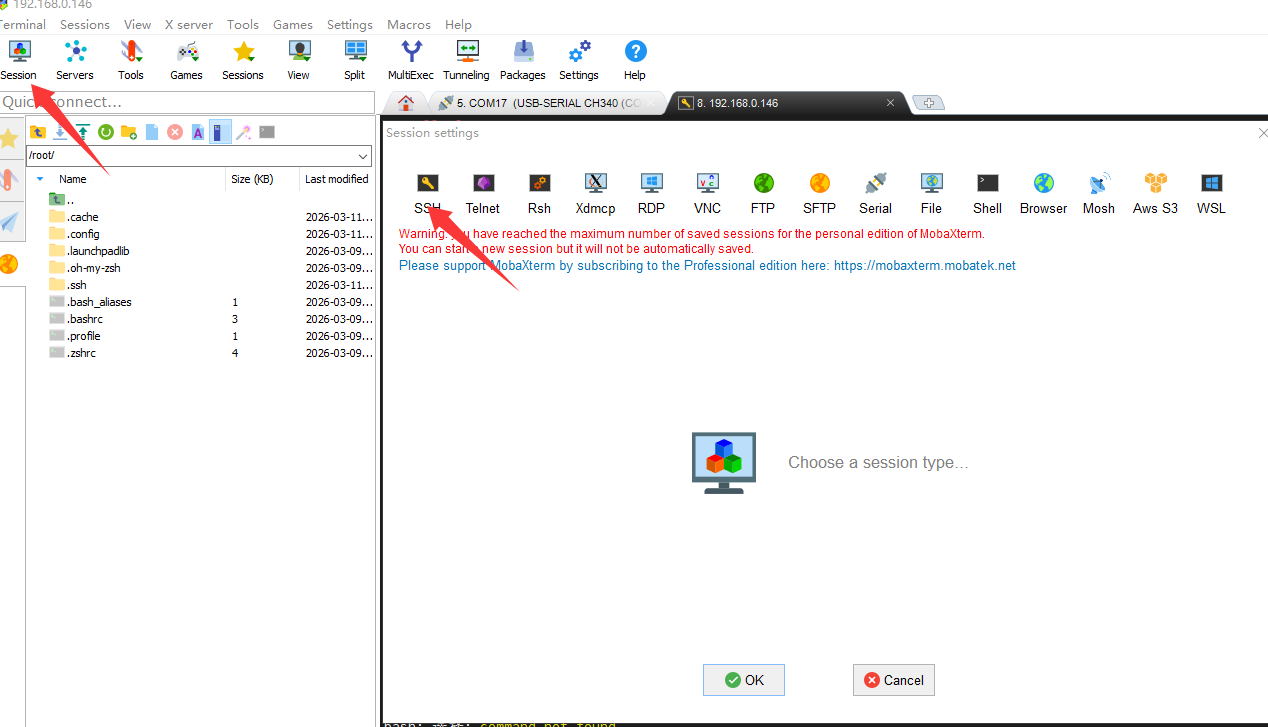
五、用SSH 搭建环境以MobaXterm 工具为例
session 选择SSH
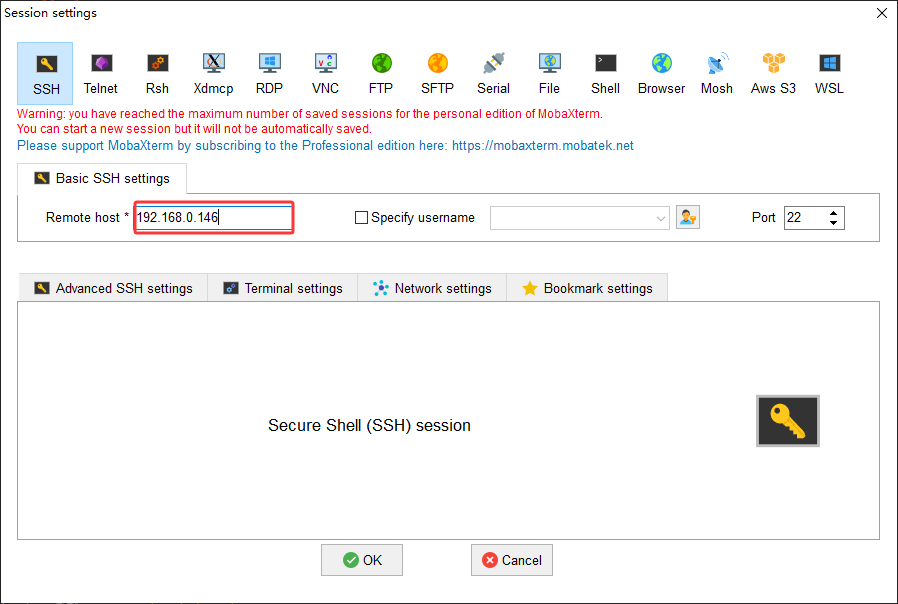
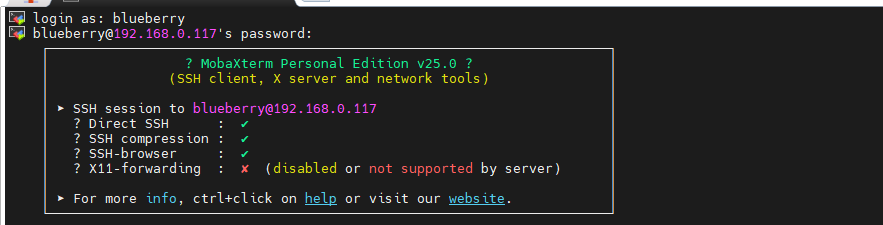
输入RUPA claw 机器IP,电脑的IP与 RUPA claw 机器IP要在同一网段
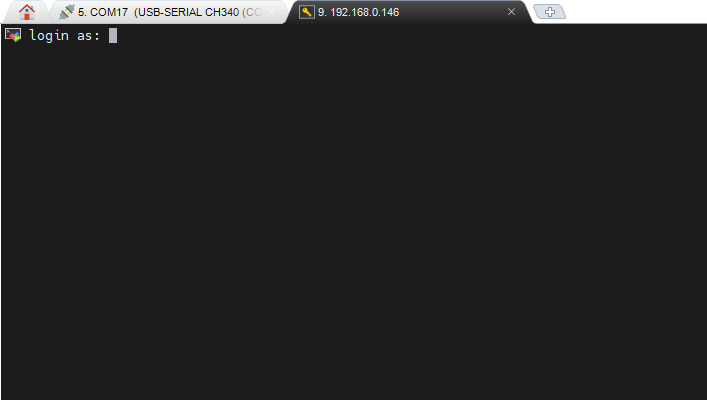
登陆 输入: blueberry 密码为:blueberry
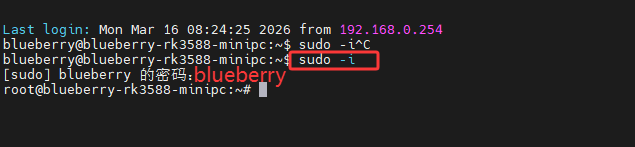
这界面就可以部署Openclaw了
输入sudo -i 密码:blueberry
输入curl -fsSL https://openclaw.ai/install.sh | bash 开始安装 安装完成后的配置参照第三章
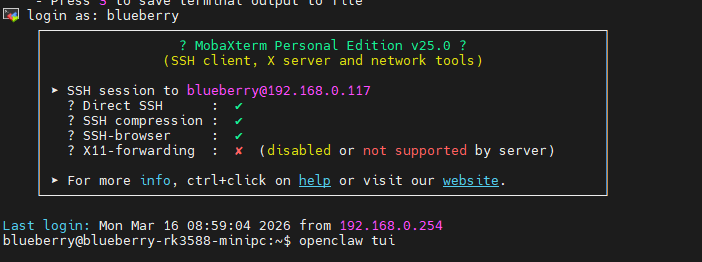
SSH 环境使用 Openclaw 搭建好SSH 环境和安装完 Openclaw后 输入 openclaw tui 打开 Openclaw
|


| Sv translation | ||
|---|---|---|
| ||
1. PreparationsRUPA Claw host and power supplyUSB mouse USB keyboard HDMI monitor HDMI cable Power adapter Network cable Connect the monitor, keyboard, mouse and network cable to the RUPA Claw host as shown in the figure, then connect the power supply.
2. Log in to Desktop
3. Install Openclaw & Kimi K2.5
Run the following commands in the terminal. Please execute them to upgrade OpenClaw even if it is already installed.
Launch the application and complete one-click installation.
Visit the official OpenClaw website for more information: https://openclaw.ai/ (opens in a new tab)
Select [yes] to continue the installation.
:Choose the QuickStart option.
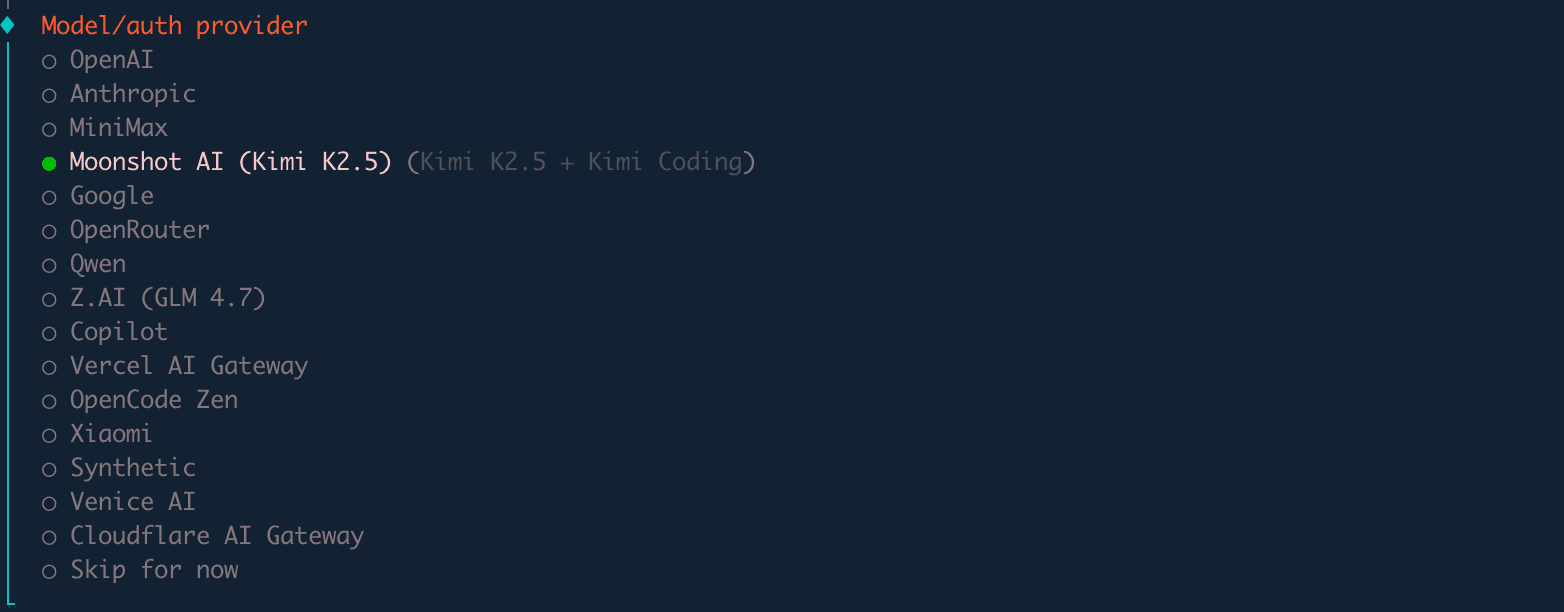
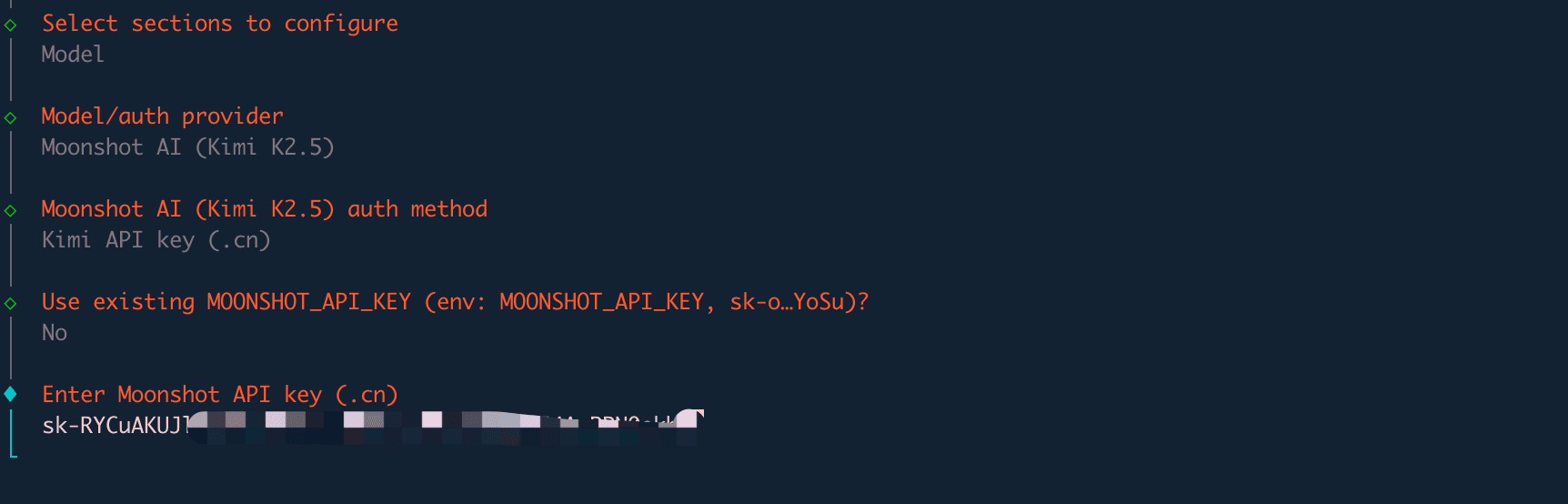
Step 1: Model.auth provider → Select Moonshot AI (Kimi K2.5)
You will then see options for selecting a chat tool. You can choose [Skip for now].
For other configurations such as Gateway Port, keep the default value 18789. Select npm or other options for Skills and package manager, and choose Yes for all remaining items.
You may skip the Skills section, or use the space bar to select required skills.
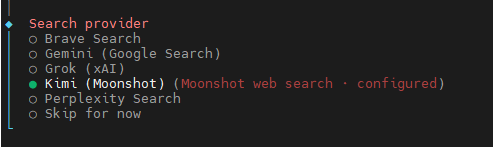
Select no for other API keys if you do not have them.
Enable the last three hooks for content guidance logging and session recording.
After installation, exit and return to the application. Select Openclaw Web to launch it.
You can switch the language to Chinese
install Chinese input method
Settings will take effect after power cycle and reboot. 4. Troubleshooting for Installation ErrorsIf configured incorrectly, close the window and reinstall following the steps in Chapter 3.
You may also reconfigure via terminal commands:
openclaw setup openclaw onboard
|
...
An HTTP 401 error indicates an invalid API key. Please redeploy. You can also reinstall or redeploy via SSH. Refer to Chapter 5 for SSH installation and deployment
5. Environment Setup via SSH
Select SSH for the session.
Enter the IP address of the RUPA Claw device. Ensure your PC and the device are on the same network segment.
Log in with username:
You may start deploying Openclaw on this interface.
输入sudo -i 密码:blueberry
输入curl -fsSL https://openclaw.ai/install.sh | bash The installation will start.
Using Openclaw in an SSH Environment
|
四、用SSH 搭建环境
以MobaXterm 工具为例
...